Definitions
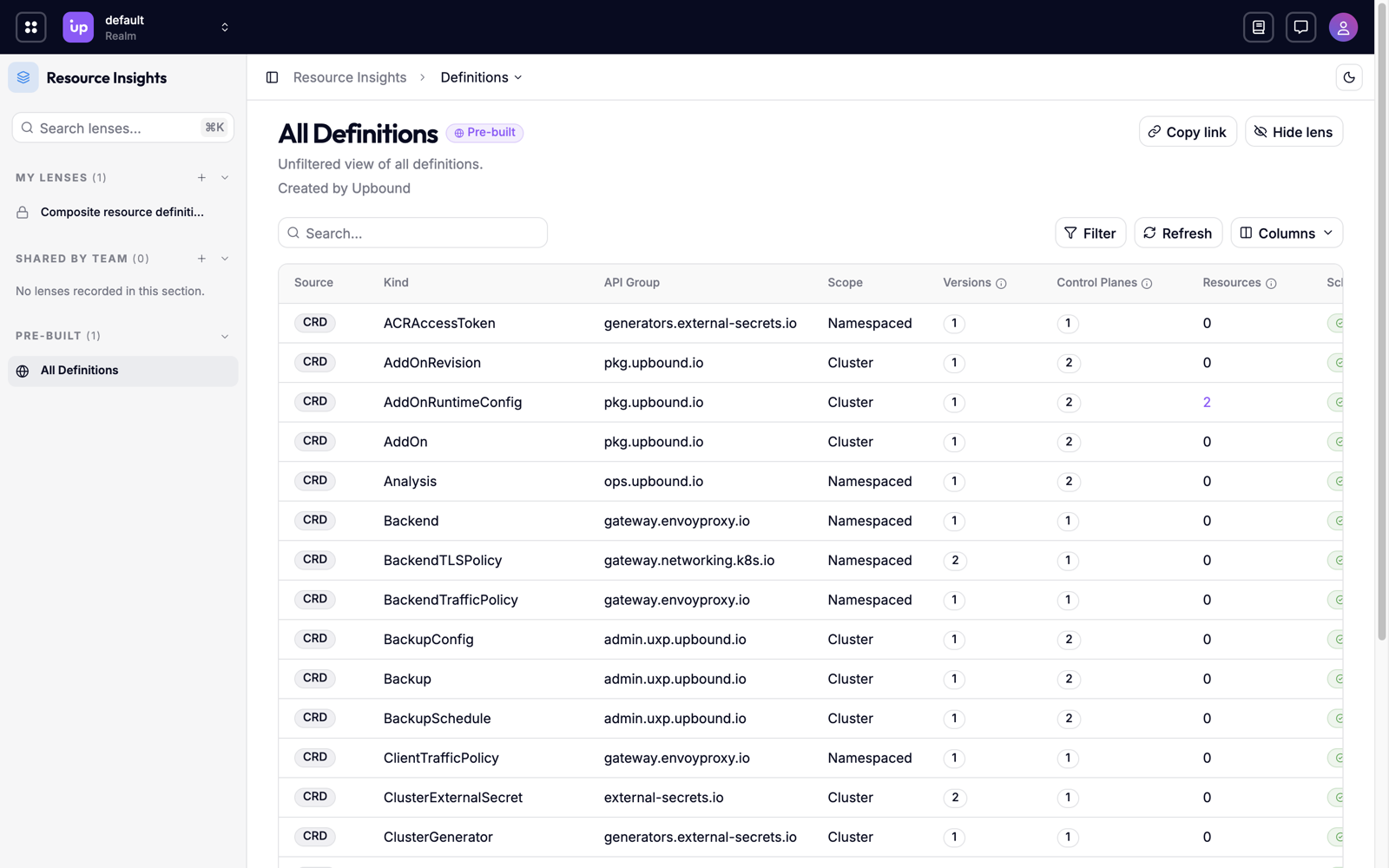
Every control plane on your platform serves its own set of APIs. Over time, the same API can drift: one control plane runs a newer version of a provider, another has a hand-edited definition, and a third still serves a version you've deprecated everywhere else. Definitions shows every API type across your fleet in one list, and flags the ones whose schemas or deprecations don't match between control planes.
What you can do
- See every API your platform offers. Get one list of the types your control planes serve, without listing definitions on each control plane.
- Catch schema drift early. Find types whose schema differs between control planes, before the difference breaks a consumer.
- Plan a version migration. Find the control planes that still serve a deprecated version.
- Judge the impact of a change. See how many resources use a type before you change its definition.
- Compare two schemas side by side. See exactly where two control planes' versions of the same API differ.
How Definitions works
Hub reads the API types each connected control plane serves, and matches them across control planes by API group and kind. Each row in Definitions is one type, wherever it appears. The resource list shows the objects in your fleet, and Definitions shows the API types that describe them.
A type reaches a control plane from one of three sources:
| Source | Defined by |
|---|---|
| CRD | A Kubernetes CustomResourceDefinition. |
| XRD | A Crossplane CompositeResourceDefinition. |
| MRD | A Crossplane ManagedResourceDefinition. |
Control planes can define the same type in different ways. When they do, the type shows each source.
Definitions only counts the control planes you have permission to read. A type that looks consistent to you can differ on a control plane you can't see. See Access-scoped results.
Schema variants and deprecation mismatches
Two control planes can serve the same kind and version with different schemas. One might have a field the other lacks, or a different default for the same field. Hub calls each distinct schema of a version a variant.
Hub marks a type Has Variants when at least one of its versions has more than one variant across your fleet. A consumer that works against one control plane can then fail against another, even though both report the same version. Hub marks a type Consistent when every version has exactly one schema everywhere.
Hub also compares which versions each control plane marks as deprecated. When one control plane deprecates a version and another doesn't, Hub marks the type as Has Mismatches.
Hub compares each version on its own. A type that serves v1beta1 and v1
stays consistent as long as each version has one schema everywhere.
The dashboard counts the types with variants, so you can see drift as soon as you sign in.
Requirements and limits
Definitions is a beta feature. Its API is stable in shape, but details may change before general availability. See the feature lifecycle. It's on by default, behind the AggregatedTypes feature flag.
- Definitions is read-only. To change a type, change its definition on the control plane that serves it.