RBAC and OIDC group mapping
Tenancy boundaries
Hub authorizes requests across three nested tiers. Each tier owns its own grant mechanism. Organization grants don't reach into realms, but realm grants do reach into the control planes a realm contains.
Organization. The Hub installation as a whole. Everything served from a
single hub-core is one organization. Organization-scoped state includes the set
of realms, the identity providers, and the organization-level role bindings
themselves.
Realm. A logical grouping of control planes inside an organization. Most Hub API resources are realm-scoped (control plane registrations, realm-level role bindings, and other per-tenant configuration all live in a realm). An organization can contain many realms. A common pattern is one realm per team or environment.
Control plane. An individual Kubernetes cluster (commonly a Crossplane control plane) registered into a realm. The resources inside a control plane (Crossplane Compositions, claims, providers, and any other custom resources) are governed by that cluster's own Kubernetes RBAC. Hub owns no binding resource at this tier, though a realm role can still grant read access across it.
An organization administrator has no automatic access inside any realm. Bind
them with a RealmRoleBinding in every realm they need to operate in.
Realm grants do reach downward. A realm-admin reads every resource in every
control plane in the realm, whatever that control plane's own RBAC says. A
realm-editor or realm-viewer reads a control plane's contents only where
that control plane's RBAC grants it. Writing to resources inside a control
plane always comes from the control plane's RBAC, whatever the realm role.
Hub's role-binding resources
Hub provides one binding resource per tier it owns. The control-plane tier has no Hub binding resource of its own: access there comes from a realm role, from the control plane's own RBAC, or from both.
| Tier | Hub binding | Scope | Built-in roles |
|---|---|---|---|
| Organization | OrganizationRoleBinding (ORB) | Cluster-scoped (Hub-wide) | org-admin |
| Realm | RealmRoleBinding (RRB) | Namespaced in the realm | realm-admin, realm-editor, realm-viewer |
| Control plane | None | Realm roles plus the control plane's own RBAC | None |
OrganizationRoleBinding and RealmRoleBinding live in the
authorization.hub.upbound.io/v1beta1 API group. They accept the same shape of
subjects list. Each subject has a kind of User or Group and a name
matched against the identity Hub derives from the OIDC token.
Group claim and OIDC mapping
When a user authenticates, Hub validates the OIDC token against the configured
IdentityProvider and constructs the identity used for authorization from the
token's claims.
Three IdentityProvider settings govern the identity Hub sees:
spec.validation.claimMappings.username.claimselects which claim becomes the username. It defaults tosub, butsubis an opaque provider-side identifier on most providers, so bind-by-user is only readable if you set this toemail. Every example on this page assumesemail.spec.validation.claimMappings.groups.claimselects which claim in the token carries the user's group membership. Most providers expose agroupsclaim once you configure the corresponding scope, app role, or group claim mapping on the provider side.- Hub adds
spec.validation.userInfoPrefixto every value it reads from the user and group claims. The prefix prevents collisions between providers and makes the source of an identity clear in audit logs and bindings.
Each mapping takes either a claim or a CEL expression, never both. Use
expression when a single claim isn't enough, such as building a username from
two claims.
A provider that maps email to the username and reads groups from groups:
apiVersion: authentication.hub.upbound.io/v1beta1
kind: IdentityProvider
metadata:
  name: corp
spec:
  redirect:
    browserLogin: true
    clientSecret: "<client-secret>"
    scopes:
    - openid
    - email
    - profile
  validation:
    userInfoPrefix: "corp:"
    issuer:
      url: https://login.example.com/
      audiences:
      - "<client-id>"
    claimMappings:
      username:
        claim: email
      groups:
        claim: groups
    claimValidationRules:
    - expression: "claims.email_verified == true"
      message: "email must be verified"
The userInfoPrefix is conventionally <metadata.name>:, which is what the
Helm sampleEmailBasedOIDCConfig block generates. It's immutable once set.
The effective group identity Hub uses is <userInfoPrefix><raw-group-value>. If
userInfoPrefix is corp: and the OIDC token carries a groups claim of
["platform-admins", "developers"], Hub sees the user as a member of groups
corp:platform-admins and corp:developers. Usernames get the same treatment,
so an email claim of alice@example.com becomes corp:alice@example.com.
Role bindings must use the prefixed form in their subjects[].name fields.
Check the identity Hub derived for you before writing bindings. Hub serves the
SelfSubjectReview endpoint, so kubectl auth whoami reports it directly:
kubectl --context hub auth whoami
ATTRIBUTE                                       VALUE
Username                                        corp:alice@example.com
Groups                                          [corp:platform-admins corp:developers system:authenticated]
Extra: authentication.hub.upbound.io/email      [alice@example.com]
This shows the mapped and prefixed identity, which is what bindings match, not
the raw claims. Copy the Username and Groups values straight into
subjects[].name.
If Groups holds only system:authenticated, Hub found no group membership.
Either claimMappings.groups is unset on the IdentityProvider, or the claim
it names is missing from the token. Fix the second case on the OIDC provider
side. See the OIDC overview for the provider-specific
group-claim setup.
Configure organization-level access
Grant a group organization-wide permissions by creating an
OrganizationRoleBinding. The resource is cluster-scoped, so it has no
namespace. The built-in organization role is org-admin.
Assuming corp: is the userInfoPrefix from your
IdentityProvider and platform-admins is the group value your OIDC provider
emits, save this as org-admin-binding.yaml:
apiVersion: authorization.hub.upbound.io/v1beta1
kind: OrganizationRoleBinding
metadata:
  name: platform-admins
roleRef:
  name: org-admin
subjects:
- kind: Group
  name: "corp:platform-admins"
Apply it against Hub's API:
kubectl --context hub apply -f org-admin-binding.yaml
List multiple subjects on a single binding to grant the same role to several groups:
subjects:
- kind: Group
  name: "corp:platform-admins"
- kind: Group
  name: "corp:sre-oncall"
You can also bind individual users directly with kind: User. The name is the
prefixed username Hub derives from claimMappings.username.claim (in the
default configuration this is the email claim), so name: "corp:alice@example.com".
An org-admin ORB grants organization-scoped capabilities only, such as
managing realms, identity providers, and Hub-wide settings. It doesn't grant
access to any realm's contents. You must grant the same subject a
RealmRoleBinding in every realm they need to operate in.
Configure realm-level access
Most Hub API resources live at the realm level: control plane registrations, realm-level role bindings, and other per-tenant configuration.
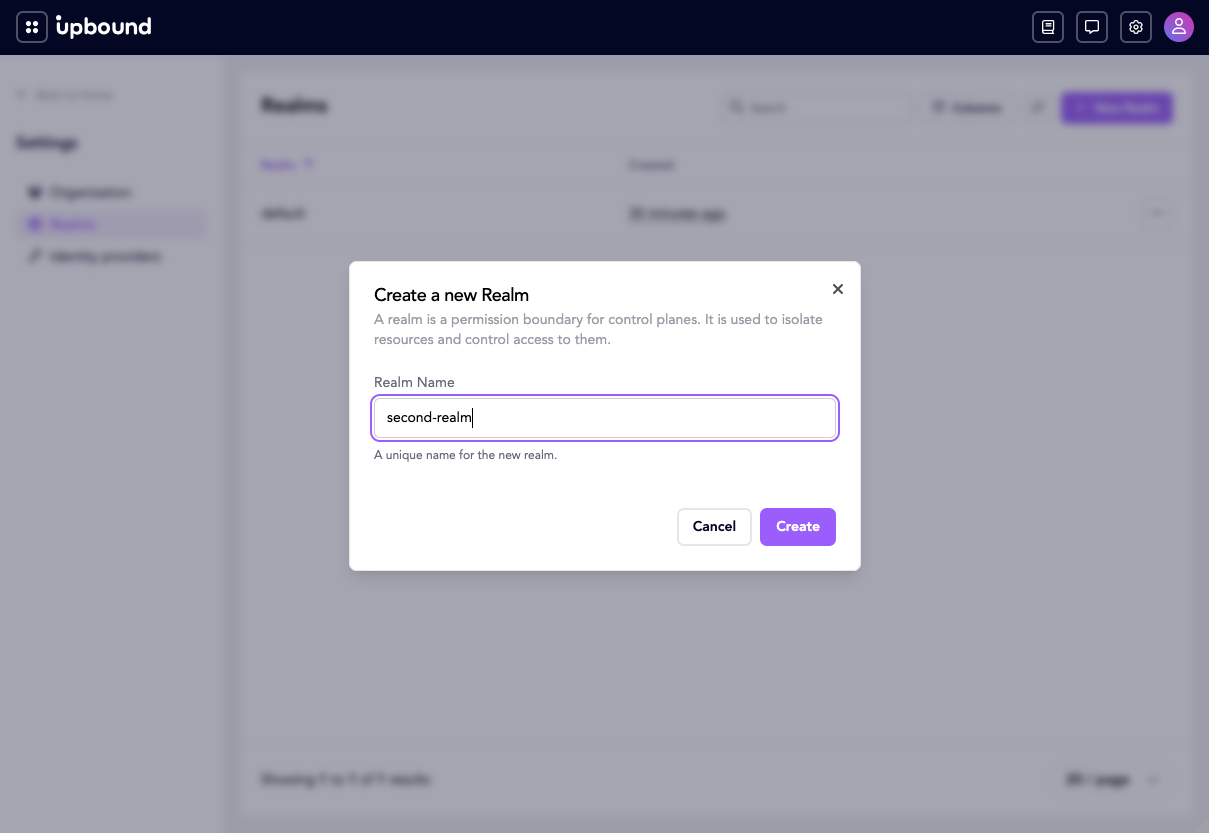
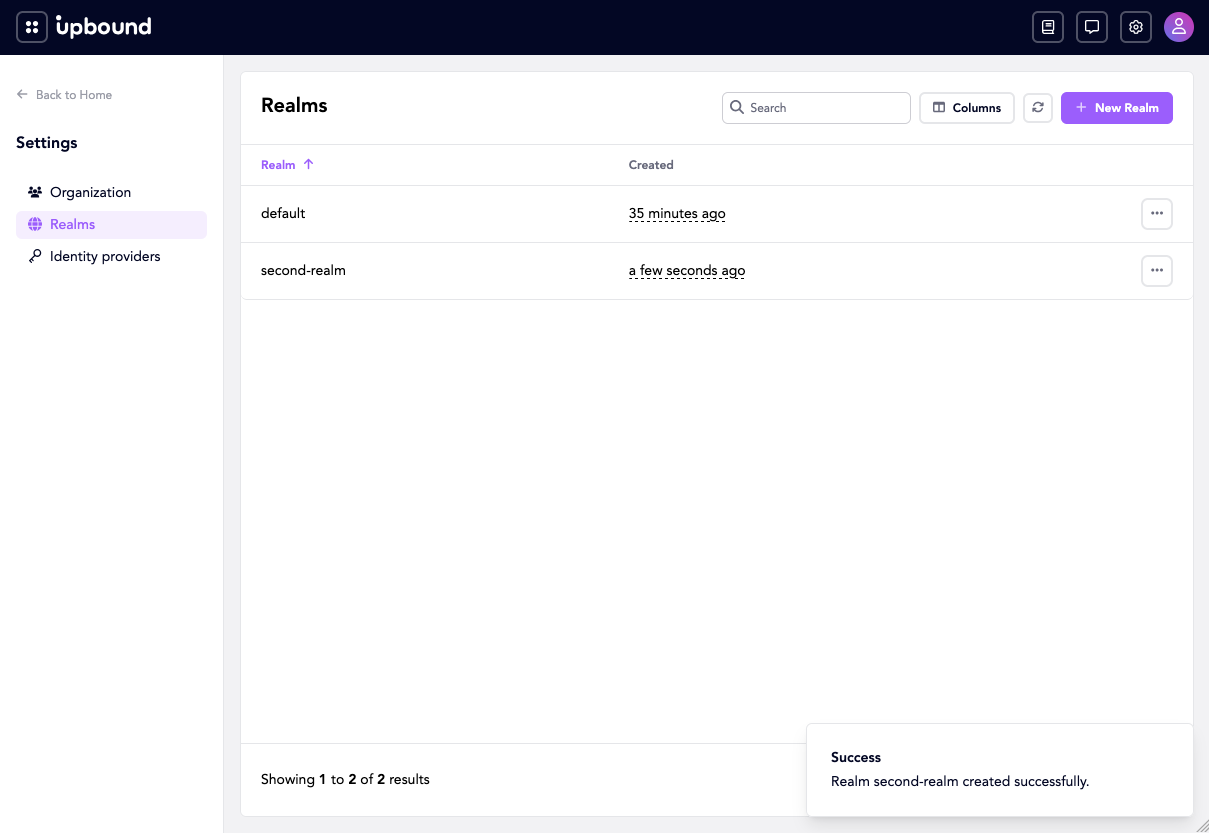
Create a realm in the Console under Settings → Realms:
Grant a group access to a realm by creating a RealmRoleBinding in the realm's
namespace. The namespace name must match the realm name.
Save this as prod-east-viewer-binding.yaml:
apiVersion: authorization.hub.upbound.io/v1beta1
kind: RealmRoleBinding
metadata:
  name: viewers
  namespace: prod-east
spec:
  roleRef:
    name: realm-viewer
  subjects:
  - kind: Group
    name: "corp:developers"
Apply it the same way:
kubectl --context hub apply -f prod-east-viewer-binding.yaml
Pick the role:
realm-admin. Full control of realm-scoped resources, including the ability to register, update, and remove control planes within the realm. Also reads every resource inside every control plane in the realm, whatever that control plane's RBAC says.realm-editor. Read-write access to realm-scoped resources. Can't modify realm role bindings. Reads resources inside a control plane only where that control plane's RBAC grants it.realm-viewer. Read-only access to realm-scoped resources. Reads resources inside a control plane only where that control plane's RBAC grants it.
spec.roleRef.name must be one of those three values. Hub rejects bindings that
reference any other name.
Repeat the binding for each realm a group should access. A single
RealmRoleBinding covers exactly one realm.
A subject can hold different roles in different realms, such as realm-admin in
prod-east and realm-viewer in prod-west. Create one RealmRoleBinding per
realm.
What a RealmRoleBinding grants inside a control plane depends on the role.
A realm-admin reads every resource in every control plane in the realm. A
realm-editor or realm-viewer can see that a control plane exists, but
reads its contents only where the control plane's own RBAC grants it. The next
section covers that side.
Configure control-plane-level access
Hub doesn't provide a binding resource for this tier. Each control plane is itself a Kubernetes cluster with its own RBAC.
This tier is what a realm-editor or realm-viewer depends on: the control
plane's RBAC decides what Hub surfaces from inside it, and it's the only way to
grant write access to those resources. A realm-admin already reads everything
in the realm, so these steps only widen what they can change.
This tier works if and only if the control plane authenticates the same identities Hub does. Point both at the same OIDC provider, so a token Hub accepts names the same user and groups inside the cluster. Without that, the subject names in the next step refer to a user the control plane has never heard of.
To grant a user access to specific resources inside a control plane:
-
Declare which Hub identity providers this control plane trusts, on the
ControlPlaneresource in Hub:spec:identityProviders:- name: corpuserMappingType: Exactnameis themetadata.nameof the HubIdentityProvider.Exactmaps the Hub identity onto the control plane's RBAC subjects unchanged, prefix included, and is currently the only supported mapping. LeavingidentityProvidersempty trusts every provider withExactmapping, which is the default. -
Inside the control plane, create a
RoleorClusterRolegranting the Kubernetes-level permissions you want, such asget,list,watchon a particular Crossplane API group. -
Bind that role to the user or group with a
RoleBindingorClusterRoleBinding. The subjectnameuses the same prefixed identity Hub derives from the OIDC token (such ascorp:platform-admins).
Hub queries the control plane's authorization API at request time and combines
the answer with the caller's realm role. The two sources are additive: a user
sees a resource if either their realm role or the control plane's RBAC admits
it. A realm-viewer who also holds a ClusterRoleBinding granting write access
inside one control plane gets read access across the realm and write access in
that one control plane.
A control plane that lists identityProviders without the provider that issued
your identity can't see you at all, and its bindings never match. Visibility
then comes from your realm role alone.
Refer to your control plane's documentation for the RBAC primitives it exposes. For a Crossplane managed control plane, this is standard Kubernetes RBAC against the Crossplane resource types.
Next step
- Revisit the OIDC group-claim setup if group identities don't surface as expected: OIDC overview.
- Return to the production hardening overview.