Connect a control plane
Connecting a Kubernetes cluster as a control plane to the Upbound Hub allows you to observe its resources in the Console or Hub API.
To connect control planes managed by Upbound Spaces, see how to connect a Space.
Prerequisites
- A control plane to connect: the Kubernetes cluster whose resources you want to observe, and a kubeconfig context for it.
- Upbound Hub, reachable from the control plane.
- A realm for the control plane, and admin permissions within that realm.
- Access to the Console, or
kubectlconfigured with ahubcontext that targets the Hub. - Helm 3.
Step 1: Declare the control plane
Declare the control plane in Upbound Hub to assign its realm and name, then get a connector registration token.
- Console
- kubectl
-
In the Console, open the Control Planes view.
-
Select Register Control Plane.
-
Choose the realm that owns the control plane, and enter a name for it. The name must be unique within that realm.
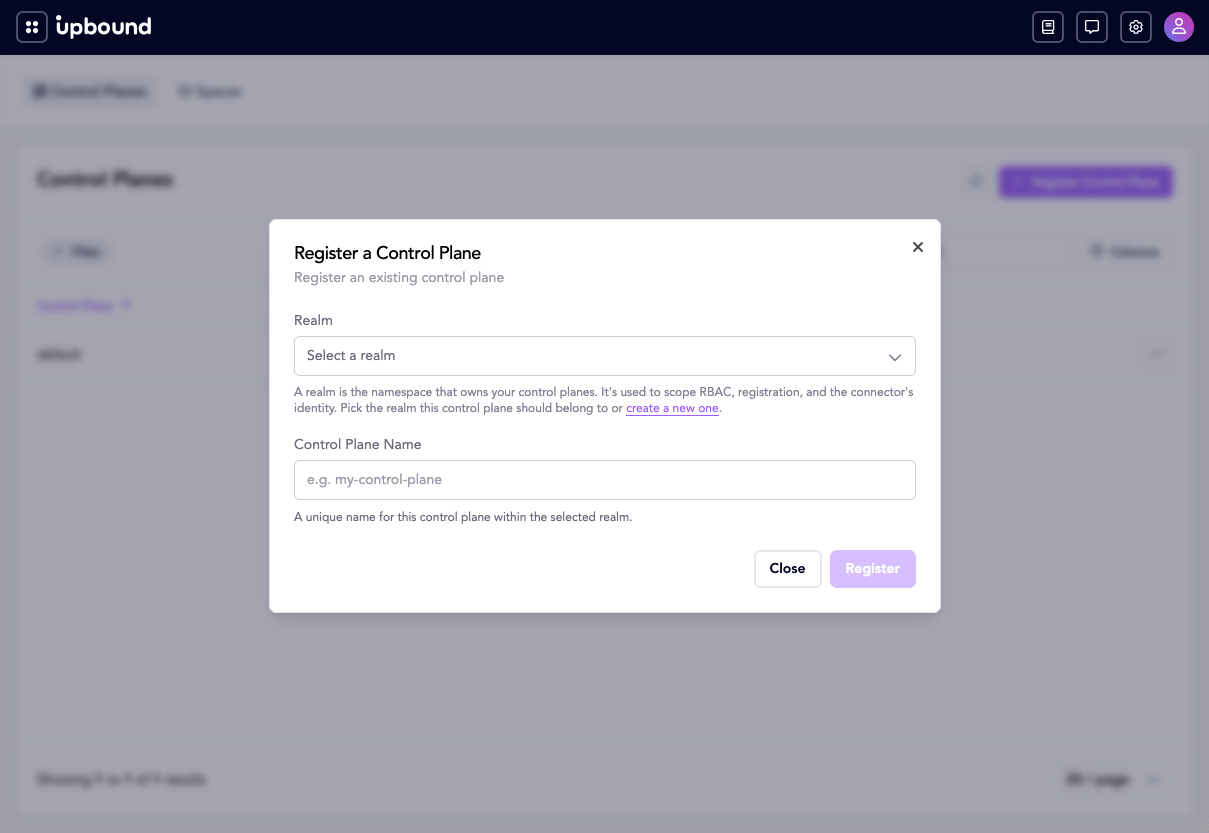
-
Select Register. The Console registers the control plane and immediately shows its registration token. Copy it now (see Step 2).
Write the control plane manifest. A control plane is namespaced, and its namespace is the realm:
apiVersion: fleet.hub.upbound.io/v1beta1
kind: ControlPlane
metadata:
  name: <control-plane-name>
  namespace: <realm>
Create it. The registration token is only returned in the create response, so capture it now (see Step 2):
REGISTRATION_TOKEN=$(kubectl --context=hub create -f controlplane.yaml \
  -o jsonpath='{.status.registrationToken}')
Step 2: Get the registration token
Capture the registration token from Step 1. Use it to deploy the connector in Step 3.
The Console and kubectl return the registration token only once. This one-time-use token is valid for 24 hours and you can't retrieve it after creation. You may reissue the token, which invalidates the existing token.
- Console
- kubectl
Copy the registration token displayed after you created the control plane. The Console will not show it again.
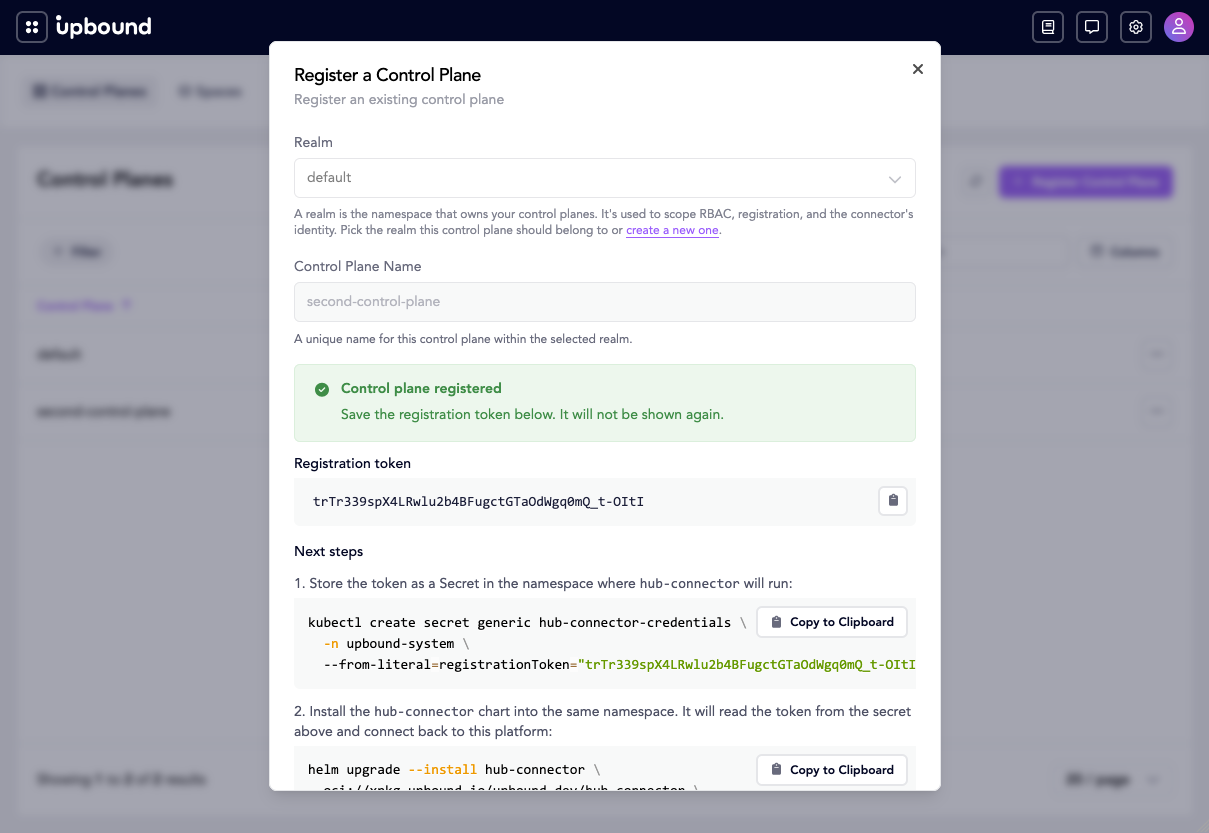
Set it as an environment variable for Step 3:
REGISTRATION_TOKEN=<paste-registration-token>
$REGISTRATION_TOKEN from Step 1 holds the token. Confirm it is populated:
echo "$REGISTRATION_TOKEN"
The token from the create response cannot be read back later, but you can issue a new token for the same control plane at any time. Issuing a new token invalidates the previous one:
REGISTRATION_TOKEN=$(echo '{"apiVersion":"fleet.hub.upbound.io/v1beta1","kind":"ControlPlane"}' \
  | kubectl --context=hub create --raw \
  "/apis/fleet.hub.upbound.io/v1beta1/namespaces/<realm>/controlplanes/<control-plane-name>/registrationtoken" \
  -f - | jq -r '.status.registrationToken')
Step 3: Deploy the connector
Deploy the connector to the control plane. The connector completes the control plane's registration and syncs its resources.
Set the kubeconfig context for the control plane:
CONTROL_PLANE_CONTEXT=<control-plane-context>
Create a namespace and a secret holding the registration token:
kubectl --context="$CONTROL_PLANE_CONTEXT" create namespace upbound-system

kubectl --context="$CONTROL_PLANE_CONTEXT" --namespace upbound-system \
  create secret generic hub-connector-credentials \
  --from-literal=registrationToken="$REGISTRATION_TOKEN"
Install the connector chart, pointing it at the Hub:
helm install hub-connector oci://xpkg.upbound.io/upbound/hub-connector \
  --kube-context "$CONTROL_PLANE_CONTEXT" \
  --namespace upbound-system \
  --set connector.hub.url=<hub-url>
Notes:
connector.credentials.existingSecretRef.namedefaults tohub-connector-credentials. Override it only if you named the secret differently.connector.sync.limitToClusterRoleslimits which resources the connector syncs to those authorized by the listed ClusterRoles. It defaults tocrossplane-adminwhich only syncs Crossplane resources. Set it to[]to sync all resources.
Step 4: Verify the connector started
Confirm the connector pods reach Ready:
kubectl --context="$CONTROL_PLANE_CONTEXT" --namespace upbound-system \
  wait --for=condition=Ready pod \
  --selector app.kubernetes.io/name=hub-connector --timeout=120s
kubectl --context="$CONTROL_PLANE_CONTEXT" --namespace upbound-system \
  get pods --selector app.kubernetes.io/name=hub-connector
Step 5: Observe from Insights
View the control plane and its resources in Insights.
- Console
- kubectl
-
Open the control planes view. The control plane you created shows a status of Ready.
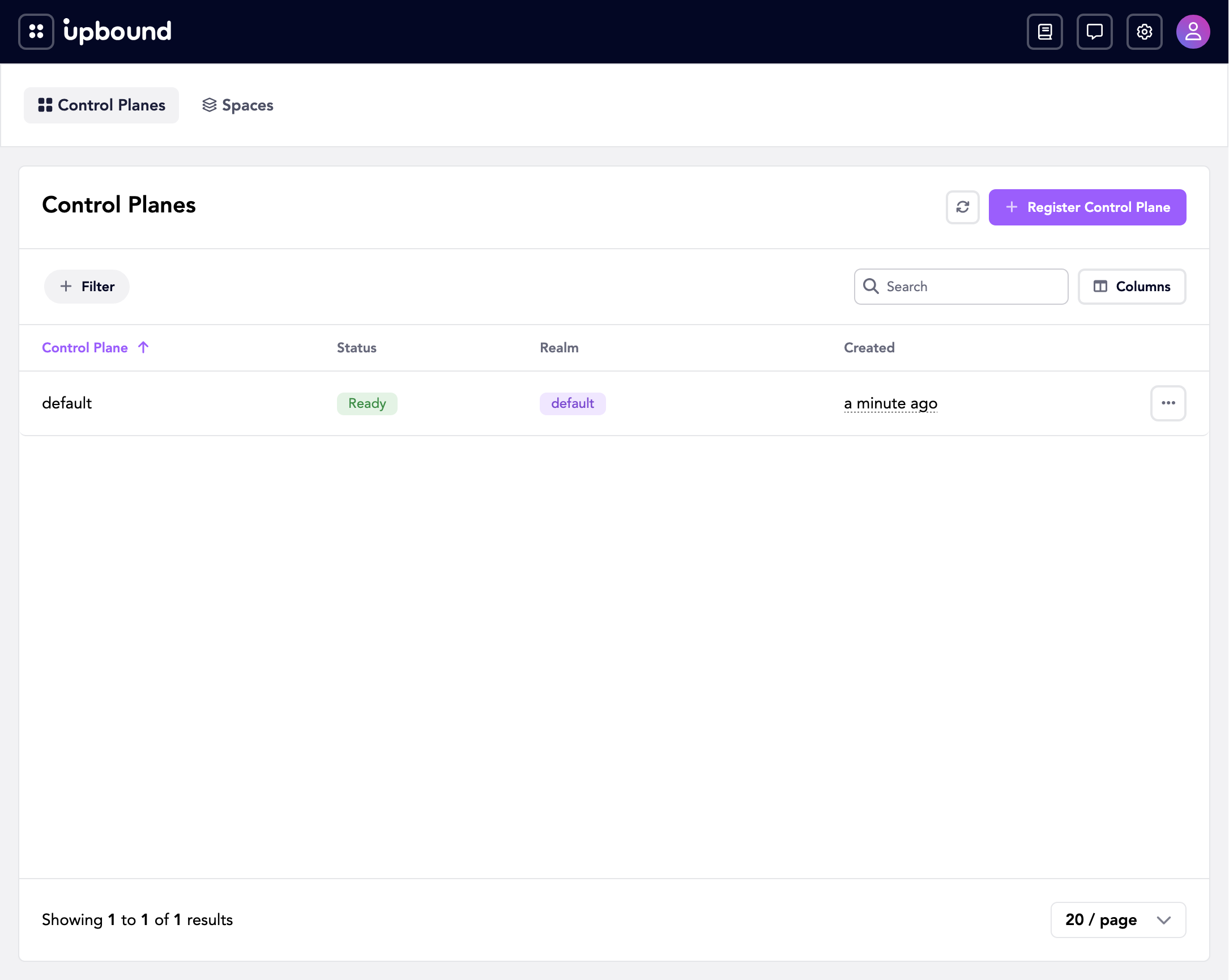
-
Open its resources view to see the resources synced from the control plane.
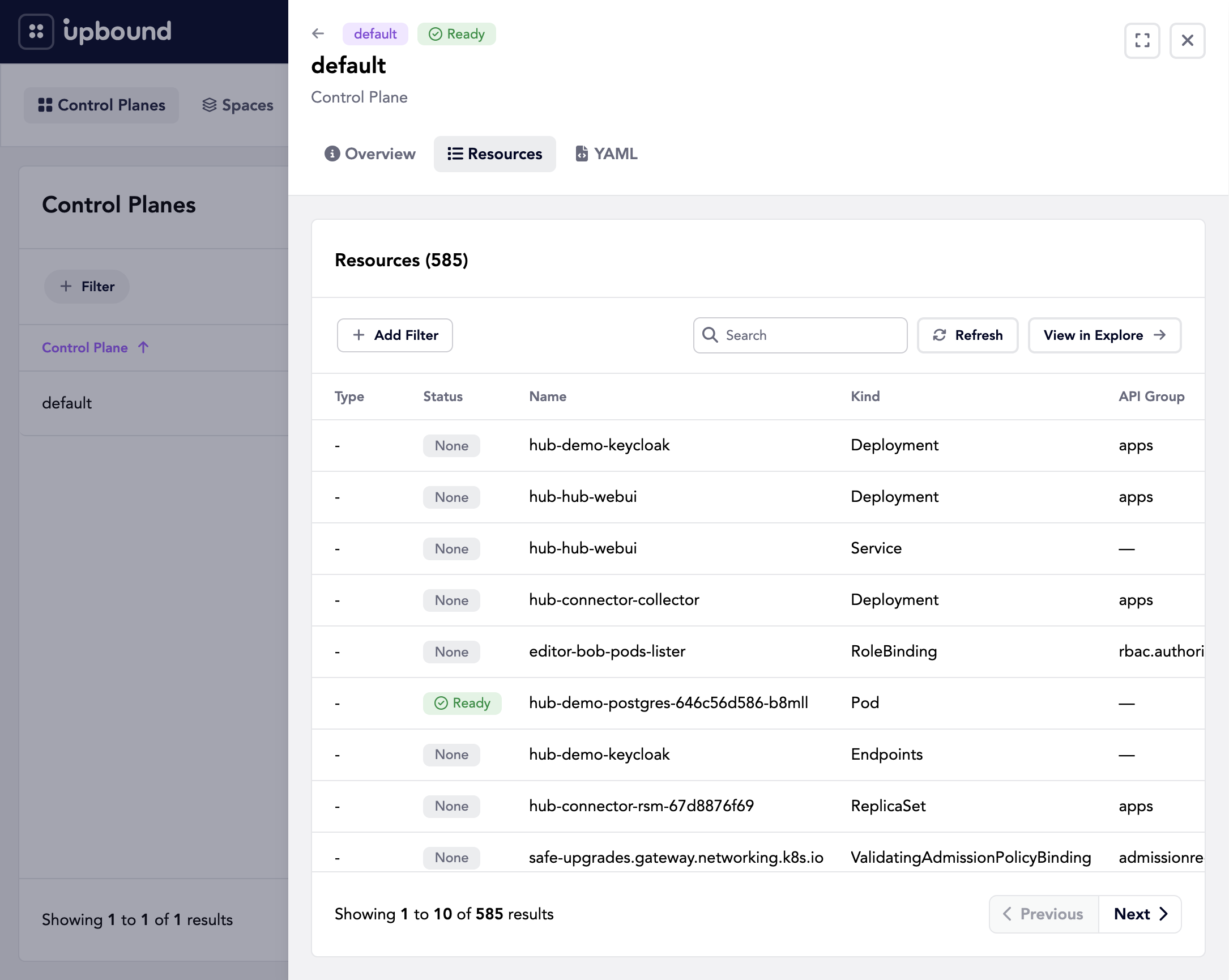
The control plane reports phase Ready:
kubectl --context=hub --namespace <realm> get controlplanes
kubectl --context=hub --namespace <realm> \
  get controlplane <control-plane-name> -o jsonpath='{.status.phase}'
List the resources synced from this control plane. The resources endpoint takes
a controlPlane filter:
kubectl --context=hub get --raw \
  '/apis/inventory.hub.upbound.io/v1beta1/resources?filter=controlPlane==%22<control-plane-name>%22' \
  | jq -r '.items[].metadata.name'
Troubleshooting
The connector pods don't reach Ready
Check the pod status and events:
kubectl --context="$CONTROL_PLANE_CONTEXT" --namespace upbound-system \
  describe pod --selector app.kubernetes.io/name=hub-connector
The connector needs the hub-connector-credentials secret to exist before it
starts, and the registration token it holds must still be valid. If the token
expired or was already used, reissue it (Step 2), update the secret, and restart
the connector:
kubectl --context="$CONTROL_PLANE_CONTEXT" --namespace upbound-system \
  rollout restart deployment hub-connector
The control plane stays Pending
A control plane stays Pending until its connector completes registration.
Check the phase:
kubectl --context=hub --namespace <realm> \
  get controlplane <control-plane-name> -o jsonpath='{.status.phase}'
If it doesn't become Ready, the connector hasn't completed registration.
Confirm the connector pods are Ready (Step 4). If the pods are Ready but the
phase stays Pending, the connector can't reach the Hub. See the next section.
The connector can't reach the Hub
The connector pushes to the Hub at connector.hub.url. From the control plane,
confirm that URL is correct and reachable, and that any firewall or network
policy allows egress to the Hub. Correct the value and upgrade the release:
helm upgrade hub-connector oci://xpkg.upbound.io/upbound/hub-connector \
  --kube-context "$CONTROL_PLANE_CONTEXT" \
  --namespace upbound-system \
  --reuse-values \
  --set connector.hub.url=<hub-url>
No resources appear for the control plane
By default the connector syncs only resources authorized by the
crossplane-admin ClusterRole. If the resources you expect aren't covered by
that role, they don't sync. Widen connector.sync.limitToClusterRoles, or set
it to [] to sync everything, then upgrade the release.
Next steps
- Access management: Grant users and groups access to the control plane and its resources.